🎨 AI Image Studio + Cover Generator

Every image your course needs. Built right in.

Generate AI images with Google Gemini. Pull from Unsplash. Drop in GIFs. Design custom covers. Five visual tools, one dashboard — included free on every plan.

Powered by Google Gemini AIZero design skills needed5 image sources in one place
✨ Generate with AI
📁 Upload
📷 Unsplash
🎞️ Giphy
🎨 Design Cover
Describe your image
A magical castle under a stunning blue sky
✨ Start Generating
Aspect Ratio
1:14:33:416:99:16
Style
ArtisticMinimalistPhoto
🏰
AI-Generated Image
Powered by Google Gemini AI
+ Add to Media🔄 Try Again
🖼️
5 image sources
One unified gallery
✨ Powered by Gemini AI

Every visual your course needs — generated, imported, or designed — without leaving MLA.

5
Image sources in one gallery: AI, uploads, Unsplash, Giphy, Cover Designer
$0
Spent on stock photos, design tools, or freelance designers
6+
Style, quality, mood, and type options for every AI-generated image
<10s
From description to a finished, course-ready AI image
[01] YOUR VISUAL TOOLKITFIVE TOOLS. ONE GALLERY.

Five ways to get the perfect image.
All in one place.

No more juggling Canva, stock photo sites, and image generators in separate tabs. Everything lives inside MLA.

Generate with AI
Describe any image. Google Gemini creates it. Custom styles, moods, and aspect ratios.
Google Gemini AI
📁
Upload & Gallery
Upload your own photos. Everything saved to your media library automatically.
Your files
📷
Unsplash
Millions of free, professional stock photos. One click to add.
Free stock photos
🎞️
Giphy
Search and embed GIFs to make lessons more engaging and memorable.
Animated GIFs
🎨
Design Cover
Custom cover editor: text, shapes, images, backgrounds. Zero Canva.
Cover designer
[02] AI IMAGE GENERATIONPOWERED BY GOOGLE GEMINI
Generate with AI

Describe it. Gemini creates it.
Any style. Any mood. Any topic.

Type what you want. Google Gemini AI generates it in seconds. Not a generic output you're stuck with — you control the style, mood, quality, aspect ratio, and image type before you even hit generate.

Don't love it? Hit "Try Again." Do love it? One click to your Media Library. Done.

Aspect Ratio
1:14:33:416:99:16
Image Type
Header/BannerIllustrationInfographicGraph/ChartCover Image
Style
ArtisticMinimalistPhotorealisticCartoonTechnical
Quality
ProfessionalHigh DetailPolishedEngagingEducational
Mood
BrightCalmInspiringEnergeticFriendly
🤖 Google Gemini AI
[03] AI BOOK COVERSPERFECT TEXT. STUNNING DESIGN.
AI Cover Generation

Book-quality covers.
Generated in seconds.
With perfect text.

People pay designers $500–$2,000+ for a single cover. MLA's AI generates stunning, professional covers with accurate text rendering — titles, subtitles, author names — beautifully placed. In seconds.

$0
Cost per cover with MLA
<30s
From prompt to finished cover
Unlimited regenerations
ABC
Accurate text on every cover
Illustration cover
Mindful Empathy cover
The Longest Talk cover
Colorful village
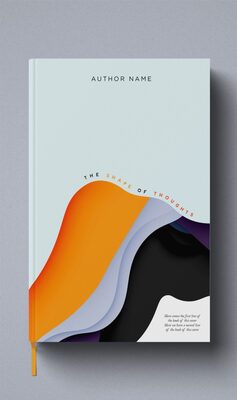
Abstract book cover
Van Gogh style cover
[04] STOCK PHOTOS & GIFSMILLIONS OF OPTIONS
Unsplash + Giphy

Millions of free photos and GIFs.
Search, click, done.

Unsplash gives you millions of stunning, free stock photos. Giphy puts animated GIFs at your fingertips. Both searchable directly inside MLA. Your students will actually enjoy going through your course.


📷 Unsplash
🎞️ Giphy
🔍 Search for images...
[05] COVER DESIGNERYOUR CUSTOM CANVAS
Design Cover

Want full creative control?
Design your cover from scratch.

MLA's built-in Cover Designer lets you add text, shapes, images, and set background colors — everything you'd open Canva for, except your cover goes straight onto your course. No exporting. No re-uploading.

🎨 Design Your Own Cover
Add Elements
📝 Text⬜ Shape🖼️ Image
Background
#ffffff
Actions
↩️ Undo📋 Copy🗑️ Delete🧹 Clear
Your Course Title
By Your Name
Add Cover
I used to spend hours hunting for the right stock photo, then fighting with Canva to make a cover. Now I generate AI images, pull from Unsplash, and design covers without ever leaving MLA. It's all right there.
— MLA course creator
[06] MLA vs. THE OLD WAYTHE COMPARISON

Stop juggling five different tools
for your course visuals.

Here's what finding and creating images looks like with MLA versus without it.

MLA Image StudioMLAWithout MLA
AI image generation built in
Pay for Midjourney / DALL-E separately
📷Free stock photos (Unsplash)
Google images, risk copyright issues
🎞️GIFs embedded directly
Download, convert, re-upload manually
🎨Custom cover designer
Design in Canva, export, re-upload
⚙️Style, mood, quality controls
Hope your prompt gives you what you want
📦Images saved to your media library
Files scattered across your desktop
💰$0 additional cost
$20–$100+/mo for AI + stock + design
[07] THE BIGGER PICTUREWHY VISUALS SELL

Text-only courses
are invisible in 2025.

Your cover is the first thing anyone sees. Your images keep students engaged. Every visual choice either builds perceived value — or destroys it.

👁️
First Impressions
People judge your course in under a second. A professional cover earns trust. An amateur cover loses them forever.
💎
Premium Pricing
Courses that look premium command premium prices. Great visuals are the fastest shortcut to higher perceived value.
🧠
Better Retention
Visuals improve information retention dramatically. Images and illustrations help students remember what you taught.
📱
Social Media Ready
Your cover shows up in every share and link preview. AI-generated images make your posts stand out without design skills.
😊
Student Engagement
Courses with varied media — photos, illustrations, GIFs — keep students scrolling. Text walls make them leave.
⏱️
Time Reclaimed
Every hour you spent hunting stock photos or fighting Canva is now spent on what matters — your content.
[08] GETTING STARTED3 STEPS

Open the gallery. Pick a tool.
Your image is ready.

No separate accounts. No subscriptions. No exporting.

1
Open Image Gallery
Click the image icon in your course editor. All five tools are ready: AI Generator, Upload, Unsplash, Giphy, and Cover Designer.
2
Pick Your Source
Generate an AI image. Search stock photos. Find a GIF. Upload your own file. Or design a custom cover from scratch.
3
Click & It's Live
One click adds any image directly to your course. No downloading, no exporting, no re-uploading.

Your expertise deserves
visuals that match.

Stop paying for separate AI image tools, stock photo subscriptions, and design software. MLA puts it all in one dashboard — included free with every plan.

3-day free trial. Image Studio included on all plans. 60-day money-back guarantee.